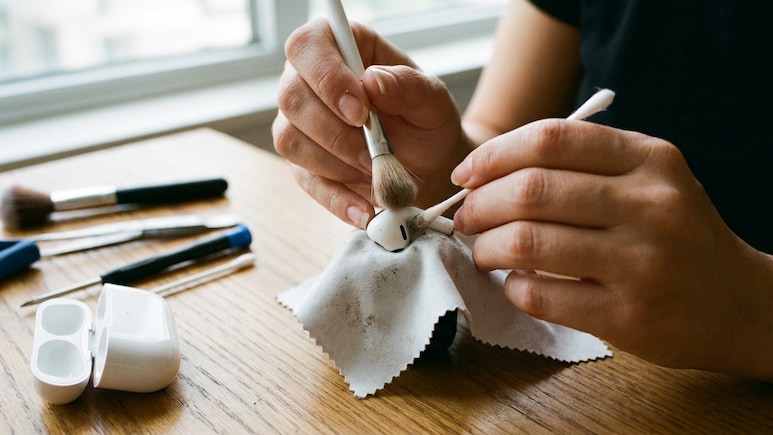
AirPods are among the most frequently used gadgets in modern life, travelling from morning commutes to office calls, workouts and evening entertainment. With such regular use, they naturally collect earwax, dust, pocket lint and everyday grime. Over time, this build-up can affect sound quality, charging performance and overall hygiene. Yet many users hesitate to clean their AirPods because they worry about damaging delicate components. The good news is that keeping AirPods clean does not require complicated tools or technical expertise when the process is approached carefully and correctly.
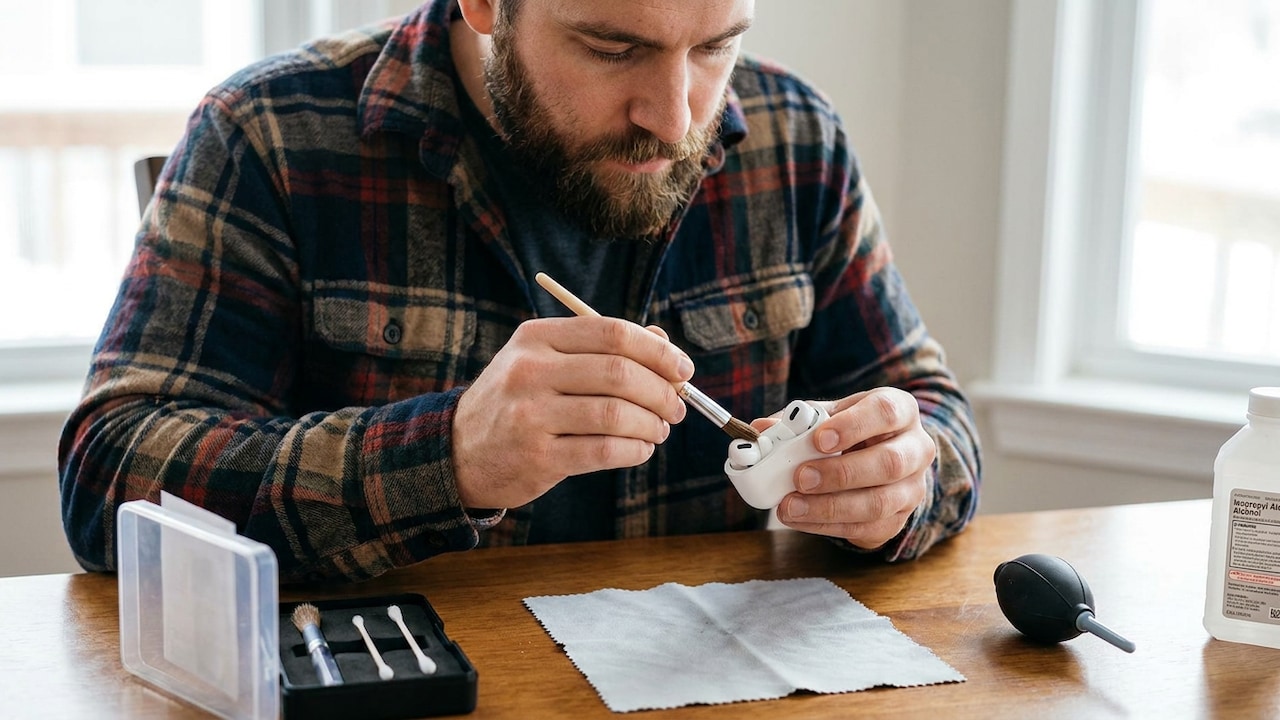
Regular cleaning helps AirPods maintain clear audio, reliable charging and a fresh appearance.
Photo Credit: Ai generated
A few simple habits can make a significant difference to the lifespan and performance of your wireless earbuds. Regular cleaning not only helps maintain clear audio but can also reduce wear on speaker meshes and charging contacts. However, not every cleaning method found online is a good idea. Harsh chemicals, excessive moisture and sharp objects can cause more harm than dirt itself. Understanding the safest techniques, recommended tools and common mistakes can help protect your investment. Here are some practical ways to keep your AirPods and their charging case in excellent condition.
Understand Why Regular Cleaning Matters
AirPods spend hours in direct contact with skin and are often stored in pockets, bags and other places where dust and debris accumulate easily. As a result, they can become surprisingly dirty in a short period. Build-up around speaker meshes may affect audio clarity and volume, while grime inside the charging case can interfere with proper charging. Beyond performance concerns, cleanliness also plays a role in personal comfort and hygiene. Many users notice that cleaned earbuds simply feel more pleasant to wear. In my view, regular maintenance is one of the easiest ways to protect any everyday technology product. Spending just a few minutes every couple of weeks can help preserve both sound quality and the appearance of your AirPods over the long term.
Also Read: Google Home Speaker With Gemini Brings Smarter AI To The Home
Gather The Right Cleaning Tools Before You Begin
Before cleaning AirPods, it is important to use appropriate materials. Soft microfibre cloths, dry soft-bristled brushes and cotton swabs are generally suitable because they help remove dirt without scratching delicate surfaces. Avoid abrasive cloths or brushes that could damage the finish. It is equally important to avoid excessive moisture. While slightly damp cloths may be useful for exterior surfaces, liquids should never be allowed to enter openings or speaker meshes. Preparation matters because using unsuitable tools often causes more damage than the dirt itself. Having the right equipment within reach makes the cleaning process easier, safer and more effective from start to finish.
Clean The Exterior Surfaces With A Gentle Touch
The exterior of AirPods is the easiest area to maintain. A clean microfibre cloth can remove fingerprints, oils and dust that accumulate during daily use. Gentle wiping motions are usually sufficient for routine maintenance. If stubborn marks remain, lightly dampening a cloth can help loosen residue, provided no moisture enters openings. Excessive pressure is unnecessary and may risk damaging sensitive areas. The charging case should receive similar attention because it often experiences constant handling throughout the day. Regular surface cleaning not only improves appearance but also prevents grime from migrating into more delicate internal components where cleaning becomes more challenging.
Remove Debris From Speaker Meshes Carefully
Speaker meshes require extra caution because they directly affect audio performance. Dirt, earwax and tiny fibres can become trapped in these openings, reducing sound quality over time. A dry, soft-bristled brush is often the safest tool for loosening particles without forcing them deeper into the mesh. Light brushing motions should be used rather than aggressive scrubbing. Patience is important. Attempting to hurry the process can lead to accidental damage. Sharp metal objects should never be inserted into speaker openings because they can puncture the mesh or harm internal components. A careful and methodical approach usually delivers the best results while preserving sound performance.
Keep The Charging Case Free From Dust And Lint
The charging case works hard behind the scenes but is often overlooked during cleaning routines. Because it frequently sits inside pockets and bags, lint and dust can collect around charging ports and internal compartments. Over time, this debris may affect charging reliability. A soft dry brush can be useful for sweeping away loose particles. Cotton swabs may help clean contact areas without scratching sensitive surfaces. It is worth checking the case regularly, particularly if you notice inconsistent charging behaviour. Maintaining a clean charging environment supports efficient power transfer and helps ensure your AirPods are ready whenever you need them.
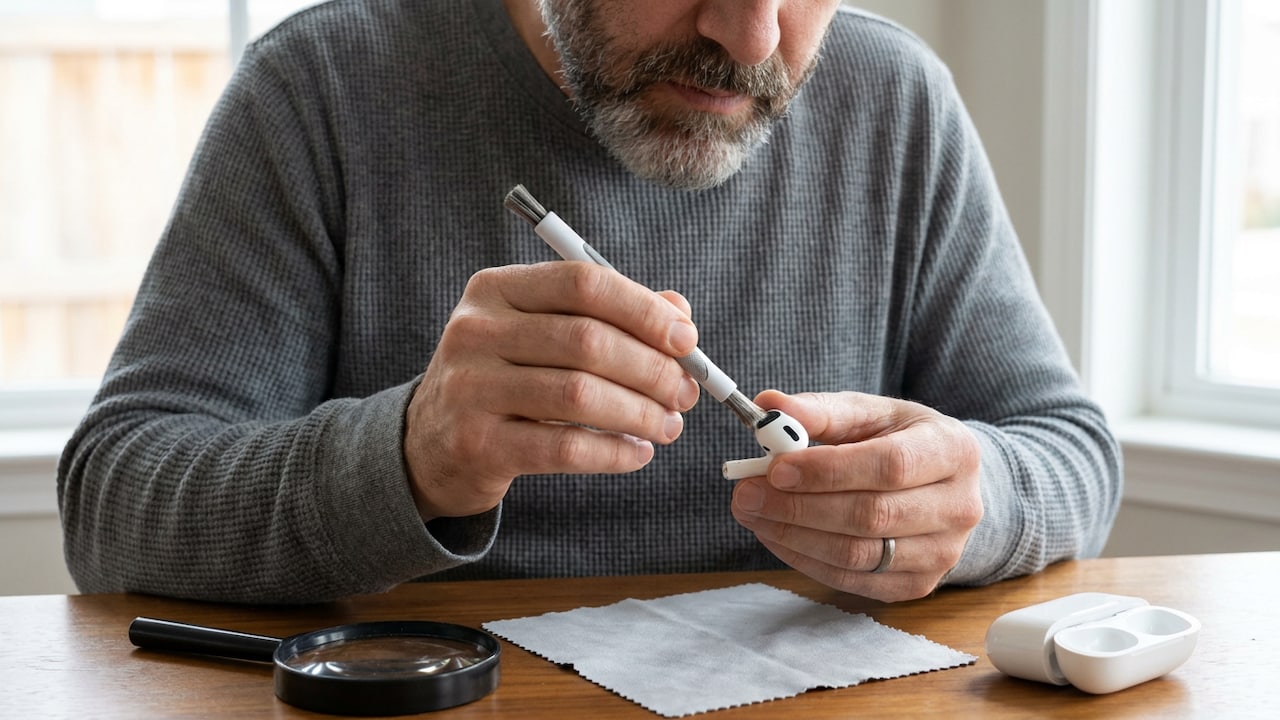
Removing dust and earwax from speaker meshes can help preserve audio quality and listening comfort.
Photo Credit: Ai generated
Wash Silicone Ear Tips The Right Way
Users of AirPods models with removable silicone ear tips have an additional component that requires cleaning. These tips come into direct contact with ears, making regular maintenance particularly important. Fortunately, silicone tips are generally easier to clean than electronic components. Once removed carefully, they can be washed using mild soap and water. They should then be rinsed thoroughly and allowed to dry completely before being reattached. Moisture trapped inside ear tips can create problems if they are placed back onto the AirPods prematurely. Clean ear tips contribute to comfort, hygiene and a better listening experience, especially for people who wear their earbuds for extended periods.
Avoid Common Cleaning Mistakes That Cause Damage
Many AirPods problems arise not from dirt but from improper cleaning practices. One common mistake is using excessive liquid in an effort to achieve a deeper clean. Another is inserting sharp tools into speaker meshes or charging ports. Household cleaning products may also contain chemicals that are unsuitable for electronic surfaces. Some users even attempt to blow debris away using high-pressure air, which can push particles further inside. Understanding these risks is essential. Effective cleaning is about patience and precision rather than force. By avoiding aggressive methods, users can maintain their AirPods safely and reduce the risk of accidental damage.
Also Read: 10 Fast Charging Power Banks That Keep Heavy Phone Users Powered All Day
Create A Simple Maintenance Routine
The easiest way to prevent heavy build-up is to clean AirPods regularly instead of waiting until they become visibly dirty. A quick wipe after workouts, occasional inspection of speaker meshes and regular cleaning of the charging case can make a noticeable difference. Consistency matters more than intensity. Small, routine actions often prevent the need for extensive cleaning later. Establishing a maintenance schedule also helps users identify potential issues early, such as reduced charging efficiency or blocked audio openings. Good technology care rarely requires specialist knowledge. It simply requires a few practical habits performed regularly throughout the year.
Store AirPods Properly To Reduce Dirt Build-Up
Cleaning and storage go hand in hand. Even perfectly cleaned AirPods can quickly accumulate dirt if they are stored carelessly. Keeping them inside their charging case when not in use protects them from dust, lint and accidental damage. Users should also avoid placing loose earbuds directly into bags or pockets. Clean storage environments reduce exposure to debris and help minimise future cleaning requirements. Proper storage habits complement regular maintenance and contribute to longer-lasting performance. In many cases, preventing dirt from accumulating is easier than removing it afterwards, making storage an important part of overall AirPods care.

Well-maintained AirPods feel more comfortable to wear and can perform more consistently over time.
Photo Credit: Ai generated
In Conclusion
Keeping AirPods clean does not have to be complicated or time-consuming. With the right tools, gentle techniques and a consistent maintenance routine, users can remove dirt and debris without risking damage to sensitive components. Paying attention to speaker meshes, ear tips and charging contacts can help preserve audio quality, charging efficiency and overall comfort. Equally important is avoiding common mistakes such as excessive moisture or sharp cleaning tools. A few careful minutes spent on maintenance every now and then can extend the life of your AirPods and keep them performing reliably for years to come. Buy your tools now and save your AirPods from damage.
Related Products To Consider
1. Ambrane 20-in-1 Cleaning Kit for Smartphones, Tablet, PC Computer, Laptops, Keyboards, DSLR Camera Lens, Earphones, Airpods with Screen Dust Brush, Key Puller & Spray Bottle (ACK-01, Grey)
2. Sounce Earphone Cleaning Pen for Airpods, 4-in-1 Soft Brush Cleaning kit, Compatible with AirPods Pro, AirPods 3 Case Cleaner Tool Kit Set - White
3. Humble Ultra Soft Microfiber Cleaning Cloth for Laptop Screen Phone Camera Lens Tablet Monitor Sunglasses Soft Lint Free Reusable Wipes for Electronics Optical Glass Non Abrasive Microfiber Pack of 5
4. ShineXPro Microfiber Cleaning Cloth Roll, 20Pcs, 4000 Times Washable - 10X Cheaper Than Paper Kitchen Towel Roll - Ultra Absorbent Lint Free Microfiber Cleaning Cloth for Kitchen - Tearable, Reusable
5. 7 in 1 Electronic Cleaner kit, Cleaning Kit for Monitor Keyboard Airpods, Screen Dust Brush Including Soft Sweep, Swipe, Airpod Cleaner Pen, Key Puller and Spray Bottle
6. Sounce Silicone Case Cover Compatible with AirPods 4th Generation 2024 Soft Shockproof Skin Protective Cover with Front LED Visibility Wireless Charging Support Keychain Accessory (Black)
7. Meyaar Silicone Case for AirPods 4 Floral Embossed, Flower Engraved Soft Silicone Cover with Keychain, Anti-Scratch, Shockproof Protective Case Cover (Light Grey, for AirPods 4 (2024)
8. TAKOKO 5 PCS Cable Protector for Charging Cables | Silicone Anti-Break Charger Wire Protector with Angel Wings Design | Cute USB Data Cable Cord Saver & Phone Charging (Multicolor)
9. Protective Charger Case for iPhone 18W 20W iPhone 17 16 15 14 13 12 11 Pro Max Charging Cable Charger Protective Cover Data Cable Protective Sleeve-Green Alien Multicolor
10. Ambrane 7-in-1 Cleaning Kit All-in-One Keyboard Cleaning Kit with Brush & Cleaner for Bluetooth,AirPods,Laptop,Tablet,Phone,iPad,Smartwatch,MacBook,Earbuds & PC Accessories (ACK-02 White) USB Type C
Frequently Asked Questions (FAQs)
Q1. How often should AirPods be cleaned?
AirPods should ideally be cleaned every few weeks, depending on usage. People who use them daily for workouts or long listening sessions may benefit from more frequent cleaning.
Q2. Can I use water to clean AirPods?
A slightly damp cloth can be used on exterior surfaces, but water should never enter openings, speaker meshes or charging ports. Excess moisture may damage internal components.
Q3. Why do my AirPods sound quieter over time?
Accumulated earwax, dust and debris can partially block speaker meshes, reducing volume and clarity. Careful cleaning may help restore normal sound performance.
Q4. Is it safe to clean the charging case regularly?
Yes, regular cleaning helps prevent lint and dirt from interfering with charging contacts. Gentle tools such as soft brushes and cotton swabs are usually sufficient.
Q5. What should I avoid when cleaning AirPods?
Avoid sharp objects, excessive liquids, abrasive materials and harsh chemical cleaners. These can damage surfaces, speaker meshes and internal electronic components.
Disclaimer: This article may include references to or features of products and services made available through affiliate marketing campaigns. NDTV Convergence Limited (“NDTV”) strives to maintain editorial independence while participating in such campaigns. NDTV does not assume responsibility for the performance or claims of any featured products or services.
